 games.org.es

Popular Games
Last Played


Bird Simulator
2 plays





























Bird Simulator
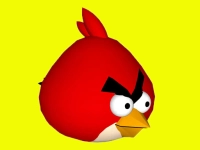
Take control of a bird and explore a simple world in Bird Simulator. This Unity3D game challenges you to master physics-based flight using basic keyboard controls. Learn how to take off smoothly and navigate the environment without crashing as you practice your flying skills.
How To Play Bird Simulator
Use the W, A, S, D keys to move around the world. To take off, hold the Space bar and press S for a clean start. The game focuses on simple mechanics and a physics-based flight system that rewards careful control and practice.
Controls and Features
The main controls involve the W, A, S, D keys for movement and Space plus S for takeoff. This Hypercasual Games title features a physics-based flight system that makes every movement feel realistic. You can explore the world and interact with objects using the same simple controls.
Tips
Try to keep your flight slow and steady. Use the W, A, S, D keys to explore the world and interact with objects carefully. Mastering the takeoff is key to avoiding crashes and enjoying the simulation.
FAQ
What are the controls for Bird Simulator?
Use W, A, S, D for movement and Space plus S to take off. The controls are simple and designed for easy learning.
What is the main objective?
The goal is to master flying and explore the world without crashing. You practice takeoffs and navigation to improve your skills.
How does the flight system work?
The game uses a physics-based flight system. This means your movements have weight and momentum, making flight feel realistic.
Can I try similar flight games?
Yes, you can look for other Bird Simulation titles online. They offer similar challenges with simple controls and physics.
About this game
- Supported devices
- Desktop
- Genre
- Hypercasual Games
- Release date
- 24 October 2024
- Latest update
- 24 October 2024
- Rating
- No ratings yet