 games.org.es

Popular Games
Last Played


Blumgi Rocket
4 plays















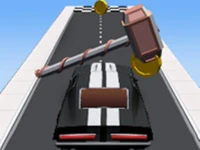





























Blumgi Rocket
Blumgi Rocket offers a fast platform adventure where you steer a rocket car through tricky obstacle courses and aim for perfect landings. With easy controls and lively physics, every jump and boost feels exciting. This Racing Games title suits quick sessions, letting you master the ride and unlock cool skins. It is a great pick for fans of html5 games for your site who want responsive driving action.
How To Play Blumgi Rocket
Use the arrow keys to steer and the spacebar for a powerful boost. Navigate each level, avoid crashes, and land smoothly after every jump. Timing your boosts and controlling the car in mid-air are key to finishing stages clean and earning a high score.
Controls and Features
Arrow keys handle movement while the spacebar triggers the rocket boost. Slow motion animations make launches dramatic. Unlock different vehicle skins to customize your ride as you progress. The physics based gameplay rewards practice and careful control, making the experience lively and responsive.
Tips
Hold the rocket boost button longer for extra power when you need a big jump. Practice controlling the slow physics to avoid flipping over on landing. Time your boosts just before takeoff for better control and smoother landings.
FAQ
What are the controls in Blumgi Rocket?
You use arrow keys to steer and the spacebar to boost. These simple inputs let you control speed and direction with ease.
What is the main objective of Blumgi Rocket?
The goal is to navigate obstacle-filled levels and perform stunts while landing cleanly without crashing.
How does the rocket boost work?
Press the spacebar to activate a rocket boost that launches your car forward. The longer you hold it, the more intense the boost.
Can you unlock new vehicles in Blumgi Rocket?
Yes, there are vehicle skins to unlock as you progress, giving your rocket car a fresh look.
About this game
- Supported devices
- Desktop
- Genre
- Racing Games
- Release date
- 24 October 2024
- Latest update
- 24 October 2024
- Rating
- No ratings yet