

Popular Games
Last Played


Digital Circus Coloring Adventure
0 plays






































Digital Circus Coloring Adventure
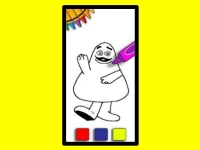
Get ready to unleash your creativity with Digital Circus Coloring Adventure, a fun and engaging browser game that's perfect for kids of all ages. This Hypercasual game lets you explore a world of colorful circus scenes, using a simple yet intuitive interface to bring them to life. With its easy-to-use tools and accessible gameplay, it's an ideal choice for kids to develop their fine motor skills and imagination.
How To Play Digital Circus Coloring Adventure
Start by choosing a scene and grabbing a variety of colors to work with. As you begin to color, you'll notice that the tools are a bit limited, which can make things a bit tricky. But don't worry, with a little patience and practice, you'll soon be creating stunning works of art.
Controls and Features
The game features a range of controls and features that make it easy to play. Use the brush tool to color in the scenes, zoom in and out with the plus and minus buttons, and switch between colors by hovering over the palette. You can also take advantage of the hover-over feature to see what color you're about to use.
Tips
When playing Digital Circus Coloring Adventure, it's a good idea to take your time and move slowly when coloring. This will help you get the best results and avoid any mistakes. Additionally, using the brush tool and zooming in and out with the plus and minus buttons will come in handy when working on small details.
FAQ
What are the controls?
The controls in Digital Circus Coloring Adventure include using the brush tool to color, zooming in and out with the plus and minus buttons, and switching between colors by hovering over the palette.
What is the objective?
The main objective of the game is to fill the scenes with colors using the brush tool.
Are there any stated features?
Yes, the game has a hover-over feature for colors, which allows you to see what color you're about to use.
What is the main mechanic?
The main mechanic of the game is using the brush tool to color scenes.
About this game
- Supported devices
- Desktop
- Genre
- Arcade Games
- Release date
- 18 March 2024
- Latest update
- 18 March 2024
- Rating
- No ratings yet