

Popular Games
Last Played


Geometry Dash 3D
7 plays

































Geometry Dash 3D
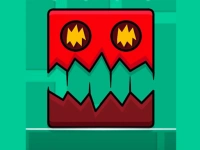
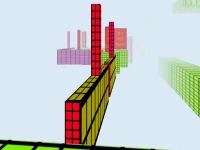
Get ready for a thrilling experience with Hypercasual Games - Geometry Dash 3D brings fast-paced action and challenging levels to the table. Players navigate vibrant 3D worlds using precise timing and reflexes to reach the finish line. This game is perfect for kids who love Jumping and Geometry games, offering a fun and entertaining experience.
How To Play Geometry Dash 3D
Tap and hold to jump, swipe to slide, and clear your path through obstacles to reach the finish line. Timing is key in this game, as players must react quickly to avoid traps and achieve high scores.
Controls and Features
The game features fast-paced gameplay and vibrant 3D worlds, with challenging levels and eye-catching animations that keep players engaged. Players can also customize their characters and unlock new skins to show off their style.
Tips
Focus on timing your moves perfectly, slowing down your reactions to improve accuracy and avoid traps. With practice, you'll be able to achieve high scores and become a master of Geometry Dash 3D.
FAQ
What are the controls?
The controls are simple: tap to jump, hold to jump, and swipe to slide. These basic controls will get you started on your Geometry Dash 3D journey.
What is the objective of the game?
The objective is to race through levels and survive obstacles, reaching the finish line in the shortest time possible.
What features does the game offer?
Geometry Dash 3D includes character customization and unlockable skins, giving players a chance to personalize their experience and show off their style.
What is the main challenge of the game?
The main challenge is timing your jumps and dodging obstacles to avoid traps and achieve high scores. It requires quick reflexes and precise timing to succeed.
About this game
- Supported devices
- Desktop
- Genre
- Hypercasual Games
- Release date
- 11 October 2025
- Latest update
- 11 October 2025
- Rating
- 10.0 (1 votes)