 games.org.es

Popular Games
Last Played


Impostor Snake IO
3 plays








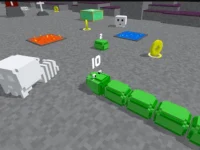

































Impostor Snake IO
Get ready to enter the thrilling world of Mobile Games with Impostor Snake IO, a chaotic and colorful experience that will keep you on the edge of your seat. This addictive game is all about navigating a giant snake through a lively arena, collecting shiny orbs to grow bigger while avoiding other snakes. The game's unique growth mechanic adds a thrilling twist to the classic snake gameplay.
How To Play Impostor Snake IO
Steer your snake using arrow keys or mouse to collect colorful balls and shiny orbs, all while avoiding other snakes in the arena. As you grow, the game becomes increasingly challenging, requiring you to plan your routes carefully to survive.
Controls and Features
Impostor Snake IO features simple controls that make it easy to navigate the arena. Use arrow keys or mouse to steer your snake, collect orbs to grow bigger, and avoid crashing into other snakes. The main objective is to grow and survive, making it a true test of your skills.
Tips
To succeed in Impostor Snake IO, keep your movement slow and plan your routes carefully. Avoid chasing orbs when bigger snakes are nearby, and focus on surviving by collecting balls to grow. A slow and steady approach will help you progress further in the game.
FAQ
What controls are used in Impostor Snake IO?
Arrow keys or mouse are used to steer the snake in Impostor Snake IO.
What is the main mechanic of the game?
The main mechanic of Impostor Snake IO is to grow by collecting shiny orbs.
What is the objective of Impostor Snake IO?
The objective of Impostor Snake IO is to collect balls to grow and survive.
What is the best way to play Impostor Snake IO on a Snake game?
Steer your snake carefully and plan your routes to avoid crashing into other snakes and collect orbs to grow bigger.
About this game
- Supported devices
- Desktop
- Genre
- Arcade Games
- Release date
- 24 October 2024
- Latest update
- 24 October 2024
- Rating
- No ratings yet