 games.org.es

Popular Games
Last Played


Lost My Chicken
2 plays










































Lost My Chicken
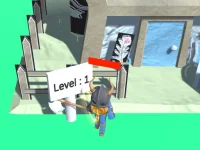
Lost My Chicken is a fun browser game where you search for a missing chicken in a chaotic world filled with obstacles and puzzles. You explore vibrant scenes, clean up the environment, and look for helpful clues. The goal is simple but challenging: find the lost chicken while solving problems and avoiding trouble along the way.
How To Play Lost My Chicken
Use the arrow keys to move your character around the world. You can jump to reach higher spots and clean the environment to reveal hidden paths. The main task is to find the missing chicken by exploring every corner and solving puzzles that get in your way.
Controls and Features
The controls are easy to learn. Arrow keys handle movement, the up arrow lets you jump or climb, and the spacebar interacts with objects. This Hypercasual Games title runs smoothly in any browser, making it quick to start and fun to play without downloads.
Tips
Move slowly to avoid falling off edges. Watch for clues and collect keys and coins to unlock new stages. Staying patient and exploring carefully will help you find the chicken faster and enjoy the WebGL adventure more.
FAQ
What are the controls for Lost My Chicken?
Use arrow keys for movement, the up arrow to jump or climb, and the spacebar to interact with objects in this browser game.
What is the main goal in Lost My Chicken?
The main goal is to find the missing chicken by navigating obstacles and solving puzzles in a chaotic world.
Can I play Lost My Chicken without installing anything?
Yes, it runs in a browser using WebGL, so you can start playing right away with no downloads needed.
What makes this Chicken game different from others?
It combines simple controls with a chaotic environment, obstacles, and puzzles that challenge you to search carefully and think ahead.
About this game
- Supported devices
- Desktop
- Genre
- Hypercasual Games
- Release date
- 24 October 2024
- Latest update
- 24 October 2024
- Rating
- No ratings yet