 games.org.es

Popular Games
Last Played


Tattoo Studio
1 plays







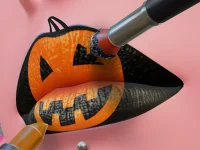

































Tattoo Studio
Welcome to Girls Games where you can try your hand at creative inking. In Tattoo Studio, you design tattoos for clients using a mix of styles and tools. The experience focuses on building custom artwork while managing a busy screen with lots of visual clutter. You get to explore colors, shapes, and patterns as you work through each session. This game brings a playful approach to art and design, making it fun to experiment and learn new techniques.
How To Play Tattoo Studio
Start by selecting design tools and picking a tattoo style. Draw directly on the client's skin and adjust sizes and colors to fit the look you want. The game guides you through basic steps so you can focus on creativity. As you practice, you will get better at placing details and balancing the design across the body.
Controls and Features
Use your mouse to choose tools, draw lines, click to add ink, and drag to resize or move elements. You can tweak colors and sizes with simple clicks or drags. The interface has many options, so take time to learn where everything is. These controls let you build precise designs and keep your work organized even when the screen feels busy.
Tips
Start slow and focus on using the right tools for each part of the design. Practice adjusting sizes and colors before adding complex details. Keep an eye on the cluttered layout and try to group your tools in a way that makes sense for your workflow. This helps you stay calm and create better tattoos.
FAQ
How do I control Tattoo Studio?
You use the mouse to select tools, draw designs, click to place ink, and drag to resize or move elements. Colors and sizes are adjusted with simple clicks or drags.
What is the main goal in Tattoo Studio?
The goal is to create a tattoo design that will impress your client. You work with different styles and tools to produce artwork that looks great on their skin.
Does Tattoo Studio have a hint system?
The game does not state that it has a hint system. You will rely on your own drawing skills and the available tools to complete each design.
What is the core gameplay mechanic?
The main mechanic involves drawing and adjusting tattoo designs. You pick styles, use tools, and refine sizes and colors to build custom artwork for each client.
About this game
- Supported devices
- Desktop
- Genre
- Girls Games
- Release date
- 24 October 2024
- Latest update
- 24 October 2024
- Rating
- No ratings yet