 games.org.es

Popular Games
Last Played


Unicorn Slime Designer
1 plays








































Unicorn Slime Designer
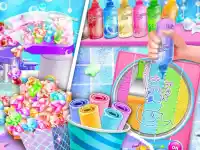
Unicorn Slime Designer is a fun html5 games for your site perfect for Girls Games fans. This creative slime game lets you design colorful slimes by mixing bases, colors, and sparkles. It's a great way to explore decoration while enjoying a relaxing experience.
How To Play Unicorn Slime Designer
Start by choosing a slime base, then add vibrant colors and special effects. Experiment with different combinations to create unique textures. Clean the container when you're ready to start fresh.
Controls and Features
Use your mouse to click, drag, and squish slime. Left-click adds elements while right-click removes them. The simple controls make it easy to customize your slimes quickly and enjoyably.
Tips
Mix colors slowly for better blending. Drag elements and squish the slime to achieve your desired look. This helps create smooth, beautiful designs.
FAQ
How do I play Unicorn Slime Designer?
Select a slime base, pick colors, and add sparkles or scents. Clean the container to reset. The process is simple and fun for all ages.
What makes Unicorn Slime Designer special?
It offers creative freedom with customizable slimes. Players enjoy mixing colors and textures, making it a unique slime game experience.
Are there any limits to customization?
No, you can mix as many colors and effects as you like. The game encourages experimentation without strict rules.
Is Unicorn Slime Designer suitable for younger players?
Yes, its simple controls and colorful designs make it perfect for kids and Girls Games fans who love creative activities.
```About this game
- Supported devices
- Desktop
- Genre
- Girls Games
- Release date
- 24 October 2024
- Latest update
- 24 October 2024
- Rating
- No ratings yet