 games.org.es

Popular Games
Last Played


Geometry Waves
3 plays























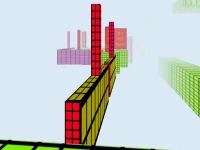













Geometry Waves
Get ready to challenge your reflexes with the thrilling game "Geometry Waves", a hypercasual game where precision matters. This neon maze game requires you to control an arrow by pressing and holding the mouse to ascend and release to descend through dynamic traps.
How To Play Geometry Waves
Geometry challenges your reflexes in a fast-paced experience. To control your arrow, press and hold the mouse to ascend and release to descend. This simple yet addictive gameplay will keep you hooked.
Controls and Features
Hypercasual games like Geometry Waves are known for their easy-to-learn controls, and this game is no exception. Press and hold the mouse to soar upwards, releasing to glide through obstacles. The game has 30 levels with unique obstacles, keeping you on your toes.
Tips
Timing is key in Geometry Waves. To navigate through the levels, use slow and steady inputs to avoid traps and barriers. Release the mouse precisely to avoid obstacles and make progress.
FAQ
What are the controls in Geometry Waves?
Press and hold the mouse to ascend and release to descend. This simple control scheme makes it easy to learn and play.
What is the objective of the game?
The objective of Geometry Waves is to navigate through 30 levels with unique obstacles. Each level presents a new challenge, requiring you to adapt your control inputs to succeed.
What features does the game have?
Geometry Waves has 30 levels with unique obstacles, making each playthrough a new experience. The game's simple controls and addictive gameplay make it a great choice for fans of hypercasual games.
What is the main mechanic of the game?
The main mechanic of Geometry Waves is pressing and releasing the mouse to control the arrow's movement. This simple yet challenging gameplay requires precision and timing to succeed.
About this game
- Supported devices
- Desktop
- Genre
- Hypercasual Games
- Release date
- 02 August 2025
- Latest update
- 02 August 2025
- Rating
- No ratings yet